ONESOURCE
Workpapers Help
Add Workpaper
To add a new workpaper:
- From the Workpapers grid, select Add Workpaper.
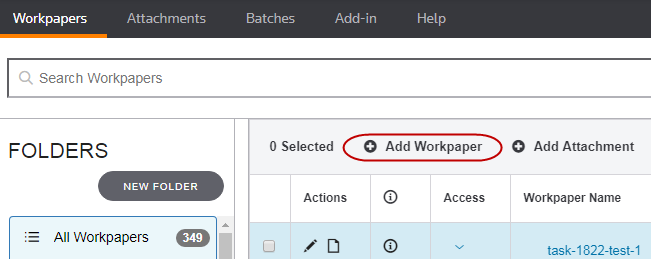
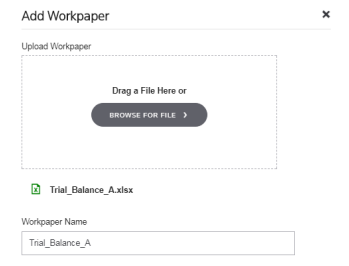
- Select BROWSE FOR FILE to locate a workpaper or drag a file to the window.
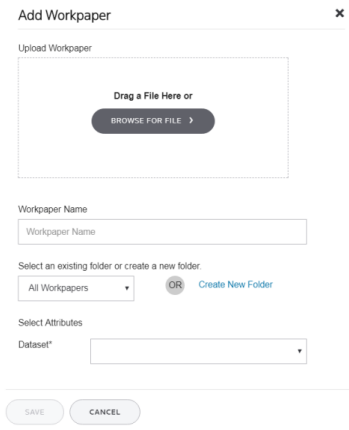
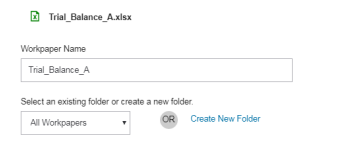
- For Workpaper Name, accept the default name or enter another name.
Choose a unique name—duplicate names are not allowed in the same folder.
- Select an existing folder to add the workpaper to or select Create New Folder to add a new folder.
- If you see Select Attributes, select a value in Dataset.
Datasets marked with an asterisk are required.
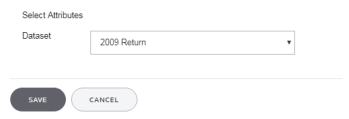
- Select Save.
-
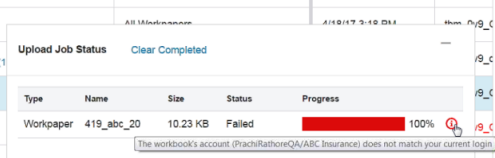
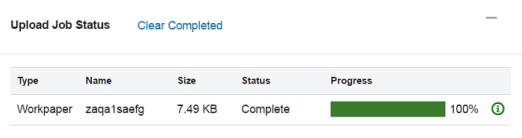
Review the upload details in the Upload Job Status pop-up. Successful jobs display a green progress bar, and failed jobs display a red progress bar.
If you are a Firm Edition user, and the workbook's account does not match your current login, you see the following message: